Every legal team that sets out to fix contract review reaches the same fork. It can buy a contract lifecycle management (CLM) suite that does intake, drafting, review, signature and the repository in one place; add review tools to the word processor and the systems it already has; or build its own. Each path has teams that chose it well and teams that regret it. The choice depends less on features than on three questions: where your contracts and playbook live today, how much of the process you need to change, and who will own the result in five years.
In short
- Buy a suite when you have no real system today, your process is close to the market’s, and one vendor and one migration are acceptable.
- Extend when your document store, e-signature and intake work, and the problem is the reading and comparing in between. Add a review, approval and obligations layer that reads what you have.
- Build when contracts are genuinely a source of differentiation and you have engineers who will own a legal system for years, including its AI.
- Whatever you choose, insist on three properties: findings that quote the clause they rest on, decisions that stay with lawyers, and a decision record you own.
The three paths
| Buy a CLM suite | Extend what you have | Build your own | |
|---|---|---|---|
| What it is | One platform for intake, templates, review, approval, signature, repository and obligations | Keep the document store, e-signature and intake; add review against the playbook, approval controls, the repository’s terms and agents | Your own services, data model and review logic, on open-source and cloud components |
| Time to first value | Depends on configuration and migrating the existing contracts; often a programme | Short for the first contract type, because existing systems stay | Long: the platform comes before the first reviewed contract |
| Fit to your process | You adapt to the product, within its configuration | Your process, with the preparation done for you | Exactly your process |
| The playbook | Configured in the suite’s format | Kept as data you can read and change | Wherever you design it |
| Your contracts | Migrated into the suite | Stay where they are; read by the new layer | Wherever you design them |
| Who owns it in five years | The vendor’s roadmap | You own the process; vendors own components | Your engineering team |
When buying a suite is right
A suite makes sense when contracts today live in email and shared drives, there is no repository worth keeping, and the team wants one accountable vendor more than a perfect fit. The costs are the migration (every legacy contract has to be loaded and its terms captured), adapting procedures to the product, and depending on one roadmap for every change, including the AI features that are moving fastest.
Questions to ask a suite vendor:
- When the product flags a clause, does it quote the draft with its page and line, and tell me which playbook position it misses?
- Where does suggested redline language come from: our approved fallback text, or a model?
- Which actions can its AI take without a person (send to the counterparty, accept a deviation, approve), and can we cap that ourselves?
- Is our delegation of authority enforced at approval time, including that the approver isn’t the submitter, and recorded with the evidence?
- Can we export complete decision records and the repository’s extracted terms in a format we can read without the product?
When extending is right
Many legal teams already have most of the plumbing: a document management system, an e-signature service, an intake form or ticket queue, perhaps a contract register in a spreadsheet. What they lack is the work between those systems: reading each draft, comparing it with the playbook, chasing the missing DPA, routing the approval, and reading the signed copy for the dates and obligations that matter. Extending means adding that layer and leaving the rest alone.
Extending: the existing systems stay, and the review, approval and after-signing work is added around them.
InsightContracts is built for this path. It reads the company’s contract systems from a source
schema (CONTRACTS_SOURCE_SCHEMA: intake requests, counterparties, contracts and their
documents, amendments, the playbook positions, the obligation log), read-only, and keeps its own work
(matters, findings, decisions, agent runs) in its own schema. In a deployment those source tables are
mapped to the company’s systems or to views over them.
Where the pieces usually come from
InsightContracts doesn’t replace the document store or the e-signature service; it reads drafts and executed copies (PDF or Word), reviews them against your playbook, routes approval and tracks what the signed copy says.
When building is right
Building is right less often than engineers hope and more often than vendors admit. It fits a company whose contracting is unusual enough that no product models it (high-volume bespoke agreements, a regulated contract type, a deeply integrated sales process), that has engineers who will own a legal system for years, and that is prepared to own the hard parts: reading PDFs and Word files reliably with page and line, keeping findings stable across versions, enforcing approvals, and governing any AI it uses.
The parts that look easy and aren’t
A clause reader that says page 2, line 3 and means the same line in the PDF, the Word file and the text layer. A finding that is the same finding on version 3 as on version 1. A redline that reopens when the counterparty’s next draft ignores it. A notice deadline computed from the executed copy rather than a register someone typed. None is exotic; together they are most of the work.
If nowhere usable, a suite’s repository and migration may be the real project. If in a document store, extending keeps them there.
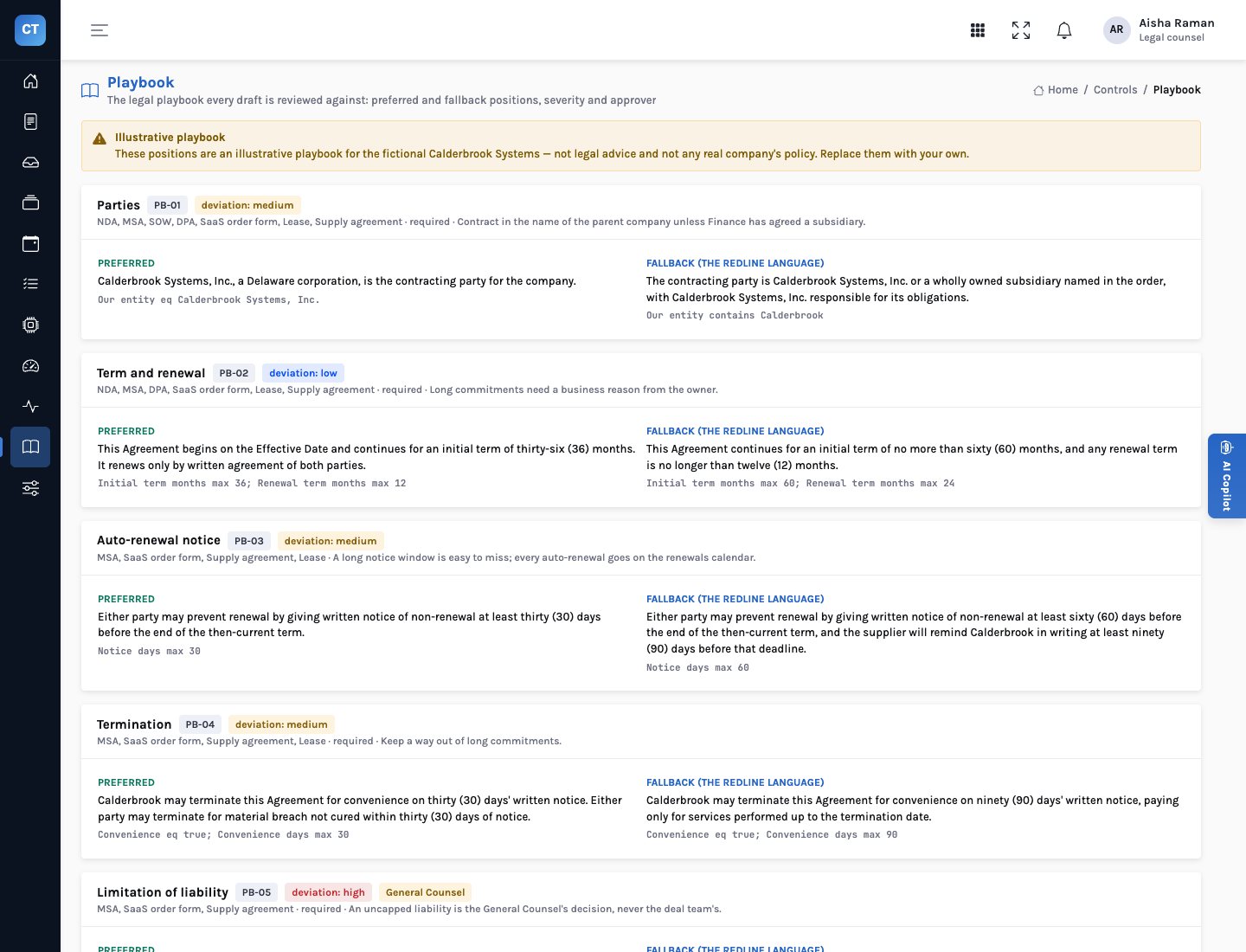
Whichever path you choose, review against a playbook needs one: positions, fallbacks, who may accept what. Write it first.
If close to the market’s, a suite’s configuration will fit. If not, extend or build.
A vendor roadmap, a set of components, or your own team. Be honest about engineering capacity.
Decide it before any demo: sending to counterparties, accepting risk, approving, signing, renewing. Then check each option enforces it.
Questions that apply to every path
| Ask | Why it matters |
|---|---|
| Does every finding quote the draft, with page and line? | A lawyer must be able to check a flag in seconds, and an auditor later. |
| Where does redline text come from? | Language your General Counsel approved, or new text someone must review as carefully as the counterparty’s. |
| What can the AI do without a person? | Sending, accepting risk and approving should be people’s actions, enforced in the system. |
| Is four eyes enforced at approval? | The approver must not be the submitter, and referrals must reach the right person. |
| Who owns the decision record? | It should be exportable and readable without the product. |
| Are renewal dates read from the signed contract? | A register typed by hand drifts; the executed copy is the evidence. |
For the General Counsel
Choose the path that keeps your positions in your hands: a playbook you can read and change, and approvals you can prove.
Whatever you buy or build, make the decision record yours.
For legal operations
Extending gets the first contract type live soonest when the plumbing already works.
Map the source systems before the demo, not after the contract.
For the board
The cost of a wrong choice is years of migration or a system nobody owns. The questions above are cheap by comparison.
Ask every option the same questions and compare the answers in writing.
Buy, extend or build: the review should cite, the lawyer should decide, the record should be yours.
Those three properties matter more than which path you take.
The demo company and its playbook are fictional and illustrative. This post describes options; it is not legal or procurement advice.