The fastest way to fail with contract review automation is to switch it on for every contract type on day one, with a playbook nobody has agreed. The second fastest is a pilot so careful that it never touches a live negotiation. This is a ninety-day plan between the two: one contract type, the company’s own playbook, lawyers deciding every matter, and a measured answer at the end about whether to go further.
In short
- Days 1–30: the playbook and the controls. Write the positions for one contract type as data, set the approval controls and the threshold from your delegation of authority, connect read-only sources, and measure a baseline.
- Days 31–60: one contract type, live. The agents prepare every new matter of that type; counsel decide every one; a sample is reviewed both ways; calibration issues are fixed and re-tested.
- Days 61–90: the repository and a decision. Load the signed contracts, turn on renewals and obligations, add a second contract type, and take numbers to the General Counsel.
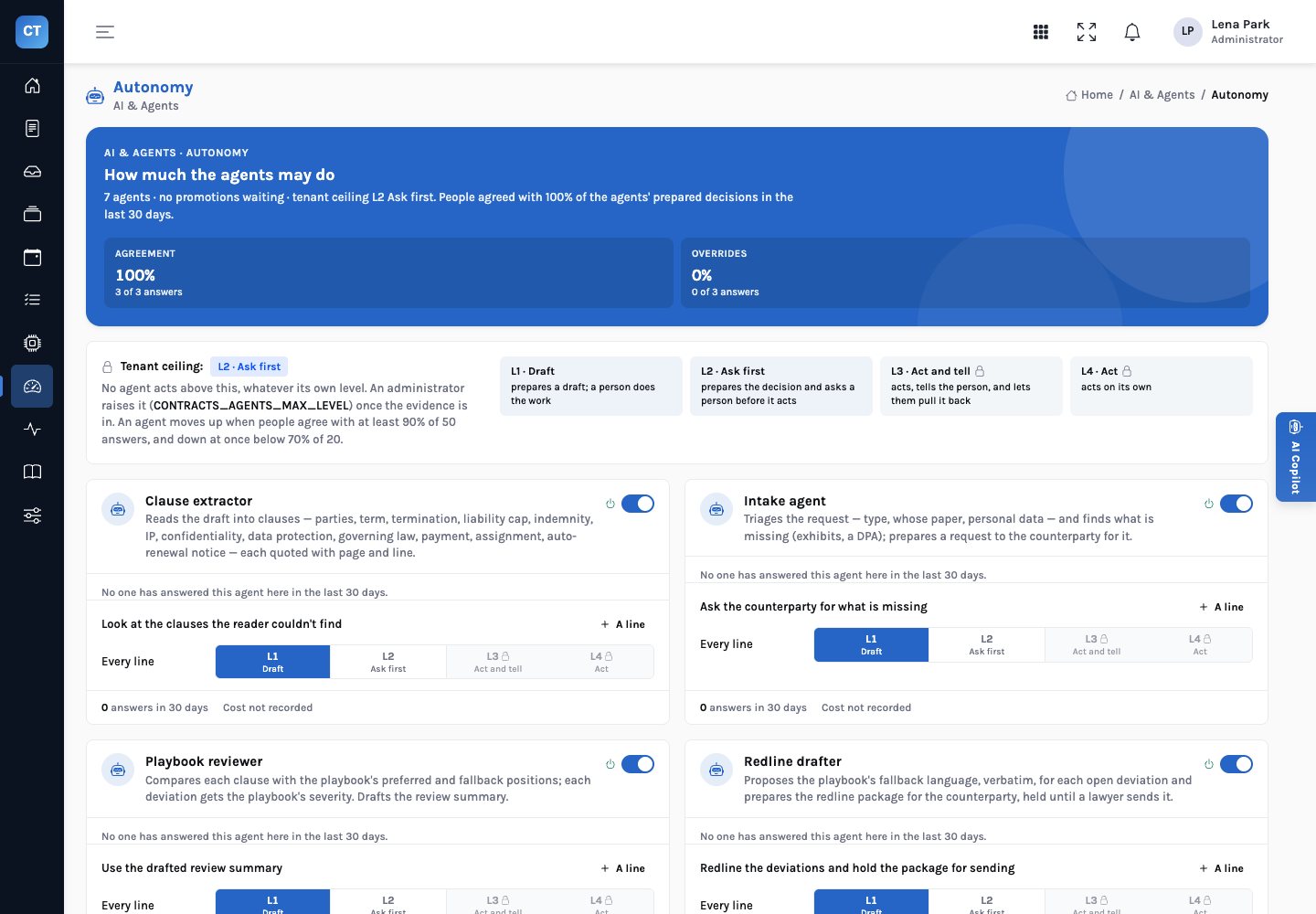
- Autonomy doesn’t rise. Every agent stays at or below L2: it prepares, a person acts. The pilot earns evidence, not permission.
Before day one: choose the scope
Pick one contract type to start. A good first scope has enough volume to measure in a few weeks, a playbook the team already half-knows, and enough variety in the counterparty’s paper to exercise the review. Supplier master services agreements are a common choice: they touch liability, IP, data protection and assignment at once. NDAs are simpler and faster to measure, and teach less.
| Decide up front | Why it matters |
|---|---|
| The contract type and our role (buyer or seller) | The playbook positions differ by type and by side |
| Who owns the playbook | A named lawyer signs off each position; the product only enforces what is written |
| Who decides matters during the pilot | The same counsel and the same General Counsel throughout, so agreement rates mean something |
| The sample reviewed both ways | A fixed share of matters reviewed by hand as well, to compare findings |
| What success means | Thresholds for agreement, missed issues and cycle time, agreed before the pilot |
| The exit | What happens to matters in flight if the pilot stops |
The plan
Ninety days, three tracks. Lawyers decide every matter throughout.
The playbook and the controls
- Each clause’s preferred, fallback and walk-away positions written as data, with severity and approver, and signed off by the playbook’s owner
- The approval controls reviewed in Rules Studio; the value threshold replaced with your own
- Read-only access to the intake queue, the drafts and the contract register
- Counsel, General Counsel, administrators: sign-ins and roles
- Baseline: days from request to signature, counsel hours per matter, matters reopened after approval
One contract type, live
- The agents prepare every new matter of the type: intake, clauses, playbook review, redlines, the controls
- Counsel accept, reject or ask on every prepared decision; nothing is sent without them
- A sample reviewed by hand as well, and the findings compared
- Reader misses and playbook surprises logged, fixed and re-tested
The repository and a decision
- Signed contracts loaded: key terms, notice deadlines and obligations read from the executed copies
- The renewals and obligations agents running over the repository
- A second contract type, often NDAs or order forms
- A recommendation, with the numbers, to the General Counsel
Days 1–30: the playbook and the controls
Write the playbook as data
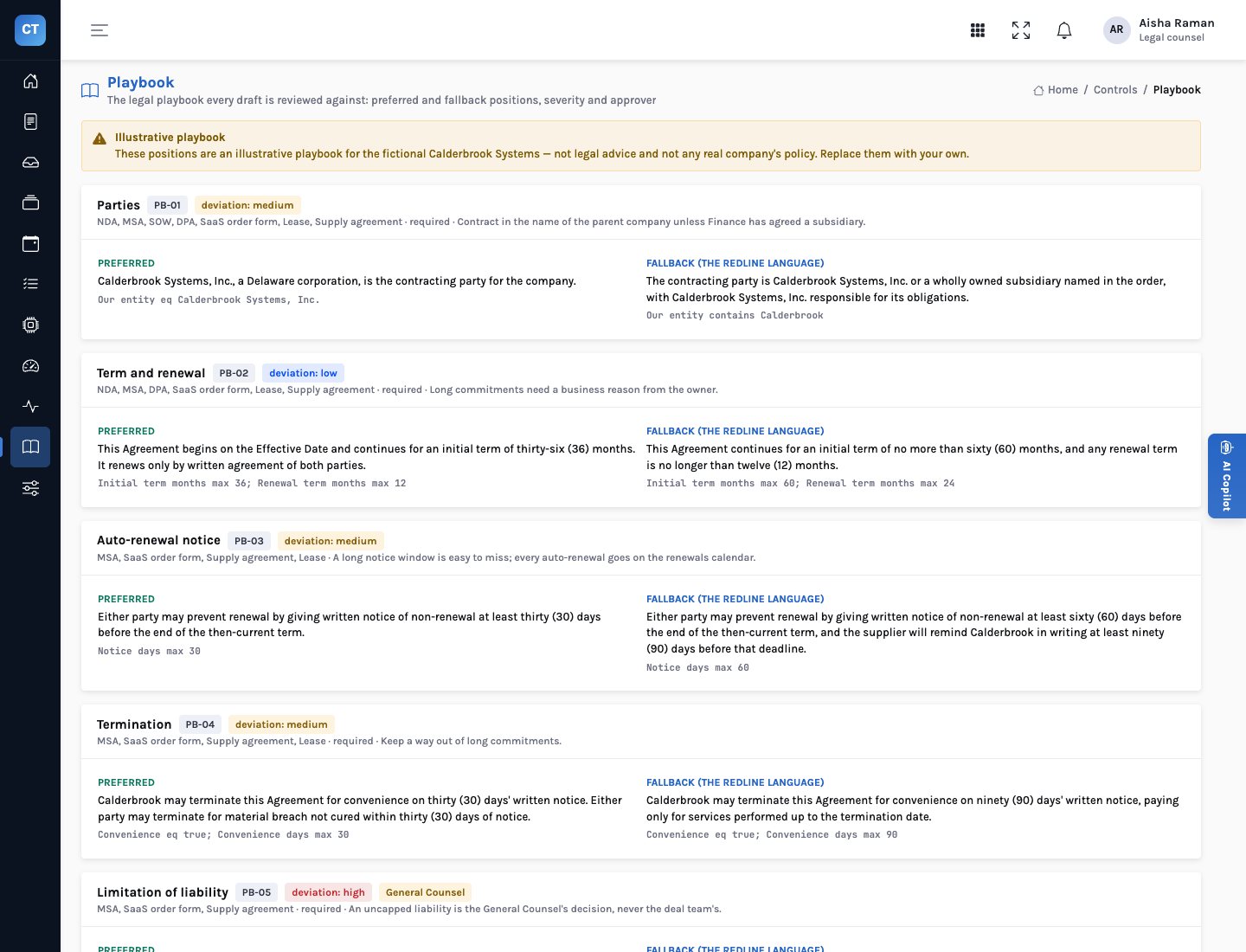
This is the step most often rushed, and the one everything else depends on. For each clause the review covers (parties, term and renewal, auto-renewal notice, termination, liability, indemnity, IP, confidentiality, data protection, governing law, payment and assignment), write the preferred position, the fallback the company will accept, and where relevant the walk-away. Give each a severity and say who may accept a deviation: the counsel, or only the General Counsel. The fallback text matters most, because it is the exact language the redline drafter will propose. The demo’s fourteen positions are illustrative, written for a fictional company, and are not legal advice; none of them should survive into a real deployment by default.
Set the approval controls
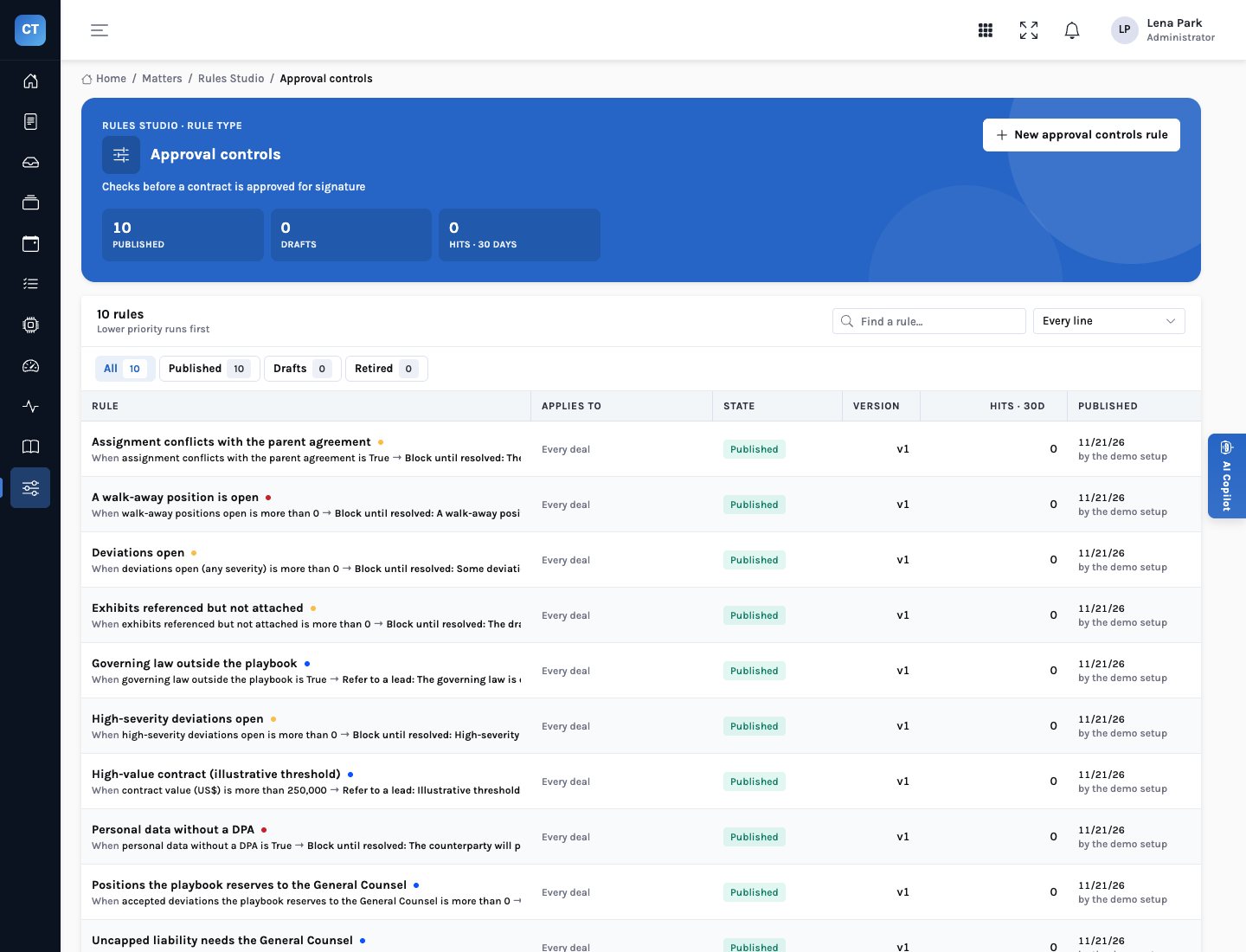
The approval controls decide what blocks approval and what refers it to the General Counsel. Read all ten in Rules Studio with the General Counsel. Most companies keep the blocking controls (walk-away positions open, deviations open, personal data without a DPA, assignment conflicts with the parent, missing exhibits) and adjust the referring ones. Replace the illustrative US$250,000 value threshold with the figure from your delegation of authority, and test the change against a real matter before publishing it.
Connect, read-only; measure the baseline
InsightContracts reads the company’s contract systems from a source schema (intake requests, drafts, the register of signed contracts and their documents, the playbook positions) and writes only to its own. Before the first matter is prepared, record what you will compare against: days from request to signature, counsel hours per matter by activity, and how often a matter is reopened after approval. The business case post describes a simple time sample.
Days 31–60: one contract type, live
New matters of the chosen type open from the intake queue, and the agents prepare each one. Nothing changes about who decides: counsel read what was prepared, redline or accept each deviation, send what should be sent, and submit; a second person approves.
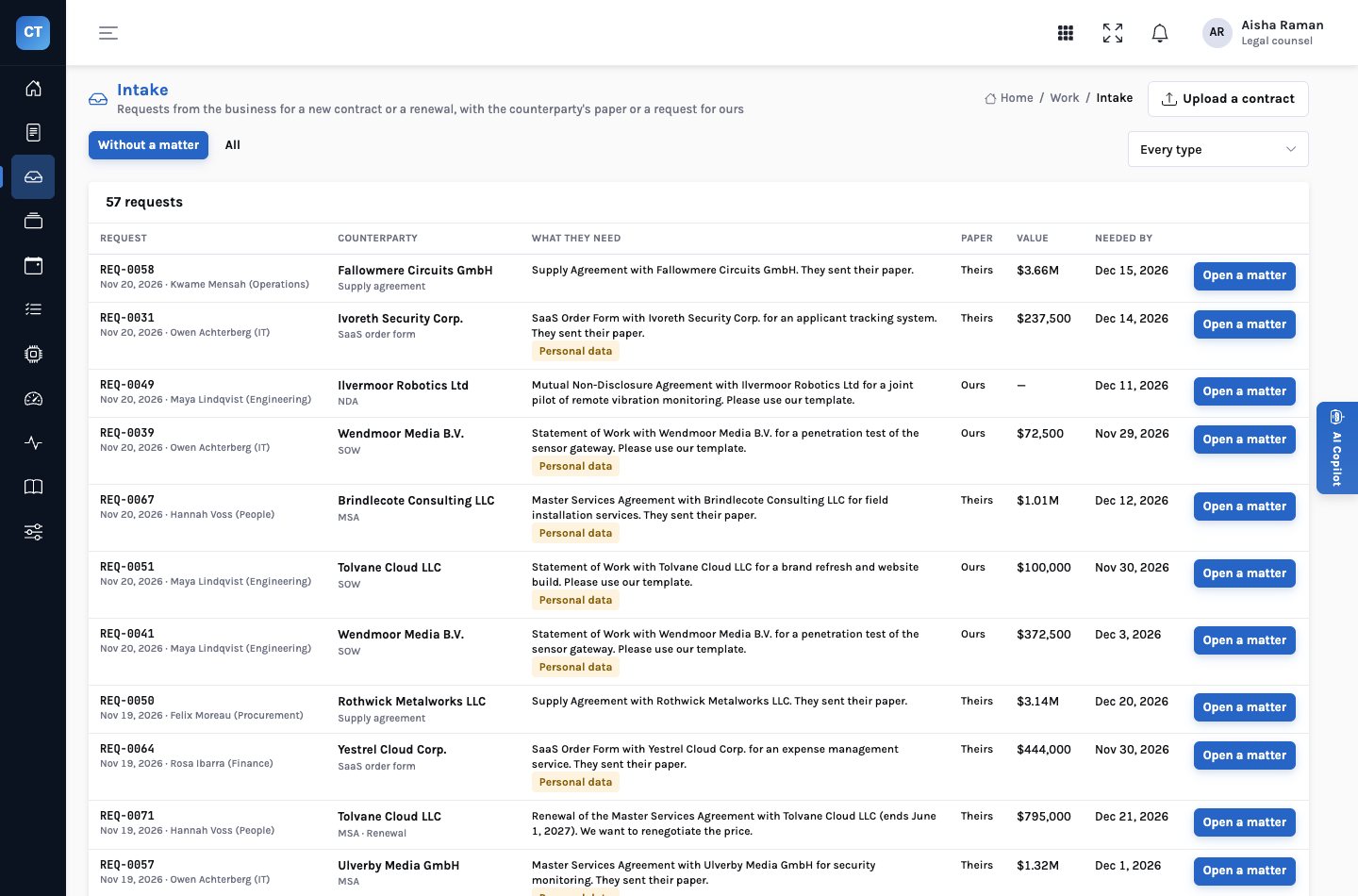
Expect calibration
Every deployment finds something to tune: a counterparty whose drafts head their liability clause in a way the reader doesn’t recognise, a fallback that turns out to be too strict for small orders, a severity the General Counsel wants raised. Because the reader never fills a gap, a clause it can’t find is reported missing rather than guessed; the clause extractor prepares a look at those for the counsel. Log each issue, fix it, and re-run the matters you already know the answers to.
What to watch in the sample
Compare the hand review with the prepared one finding by finding. A finding the agents raised that the lawyer didn’t is either noise to tune or a miss by the lawyer; a finding the lawyer raised that the agents didn’t is usually a gap in the playbook. Both are worth more than an overall accuracy number.
Watch agreement, both ways
Every accept, reject and ask on a prepared decision is recorded against the agent and the action. Low agreement on one action points to a calibration problem. Agreement near 100% everywhere deserves a sample of its own: it can mean the preparation is right, or that people have stopped reading it.
Days 61–90: the repository and a decision
With review running, load the signed contracts. The repository reads each executed copy with the same reader: key terms with page and line, the notice deadline for every auto-renewal (end of term less the notice period), the obligations each side owes, and amendments that aren’t signed by both sides. The renewals agent then prepares a decision for every auto-renewal whose notice deadline falls in the next forty-five days; the obligations agent prepares the asks for what counterparties owe. For many teams this is where the first hard savings appear, because a renewal decided in time is money the company chose to spend.
After signing: two agents, both preparing for people.
What to report at day 90
| Measure | Compared with | Where it comes from |
|---|---|---|
| Days from request to signature for the pilot type | The baseline | Matter dates |
| Counsel time per matter | The baseline time sample | A repeat of the sample |
| Findings missed, both ways | The hand-reviewed sample | The comparison log |
| Agreement per agent and action | Your threshold | The autonomy page |
| Notice deadlines passed without a decision | Before the repository was loaded | The renewals calendar |
| Overdue obligations with an owner and an ask | The register before | The obligations tracker |
Who does what
Signs off every position, severity and approver. The product enforces only what is written.
Sources read-only, roles, approval controls, the threshold.
Accept, reject or ask on each prepared decision; send what should be sent; submit.
Never the submitter.
Findings both ways; calibration fixes and re-tests.
Go further, change scope or stop, on the measured numbers.
What it means for each audience
For the General Counsel
The pilot is your playbook, enforced. If a position is wrong, you find out on a real matter with a lawyer in the loop, and you fix it once.
You keep every decision the controls refer to you.
For legal operations
Ninety days produces numbers you measured yourselves: cycle time, counsel time, misses both ways, agreement, renewals decided in time.
The comparison log is the most valuable artefact of the pilot.
For the board
The question at day 90 is a business one: is preparation by agents, with lawyers deciding, faster and at least as safe? The evidence answers it.
Autonomy isn’t part of that question; it stays capped.
What to be careful about
- Don’t import the demo’s positions. The demo’s playbook and threshold are illustrative, for a fictional company. Write your own.
- Don’t widen too early. A second contract type before the first is calibrated doubles the noise.
- Keep sending manual at first. Even where a deployment can email counterparties directly, start with the dry run, where the counsel sends the message herself, until the team trusts the packages.
- It isn’t legal advice. InsightContracts compares drafts with the positions you give it. Judgement about the law and the deal stays with your lawyers.
Start with one contract type and your own playbook, and let the numbers decide what comes next.
Agents prepare every matter, lawyers decide every one, and ninety days later you know, from your own measurements, whether to go further.